How to Build a Waitlist for Your Small Business (Just in Time for Black Friday)
If you are planning for Black Friday or December sales, one of the smartest things you can do right now is to start collecting customer details. A waitlist helps you gather the names, emails, and phone numbers of people who are already interested in your offer. By the time you launch, you already have a warm audience waiting.
This guide will walk you through how to build a waitlist for your small business using Catlog, why it helps with Black Friday marketing for small businesses, and how to make the most of it.
Why a Waitlist Matters
A waitlist is one of those simple tools that gives you a big advantage during sales season. Here is why it works so well.
You can see interest before you launch
You are no longer guessing who cares about your offer. You will know exactly how many people are warming up to your product or discount.
It builds hype
People love early access. A waitlist naturally creates excitement because customers feel like they are getting something special.
It improves your conversion rate
Someone who joins your waitlist already has buying intent. Once you go live, they are more likely to purchase than cold traffic.
You reduce launch stress
Instead of shouting on the day of your sale, you already have a list of people waiting. This makes your launch calmer and more predictable.
You own your audience
Your list belongs to you. Algorithms cannot take it away, and when Catlog releases email and SMS tools in the future, your list will become even more powerful.
Introducing Catlog Waitlists
Catlog now gives you an easy way to create a waitlist for anything you want to promote. You get a simple, clean page where customers can sign up and a link you can share anywhere. WhatsApp, Instagram, Telegram or your bio all work perfectly.
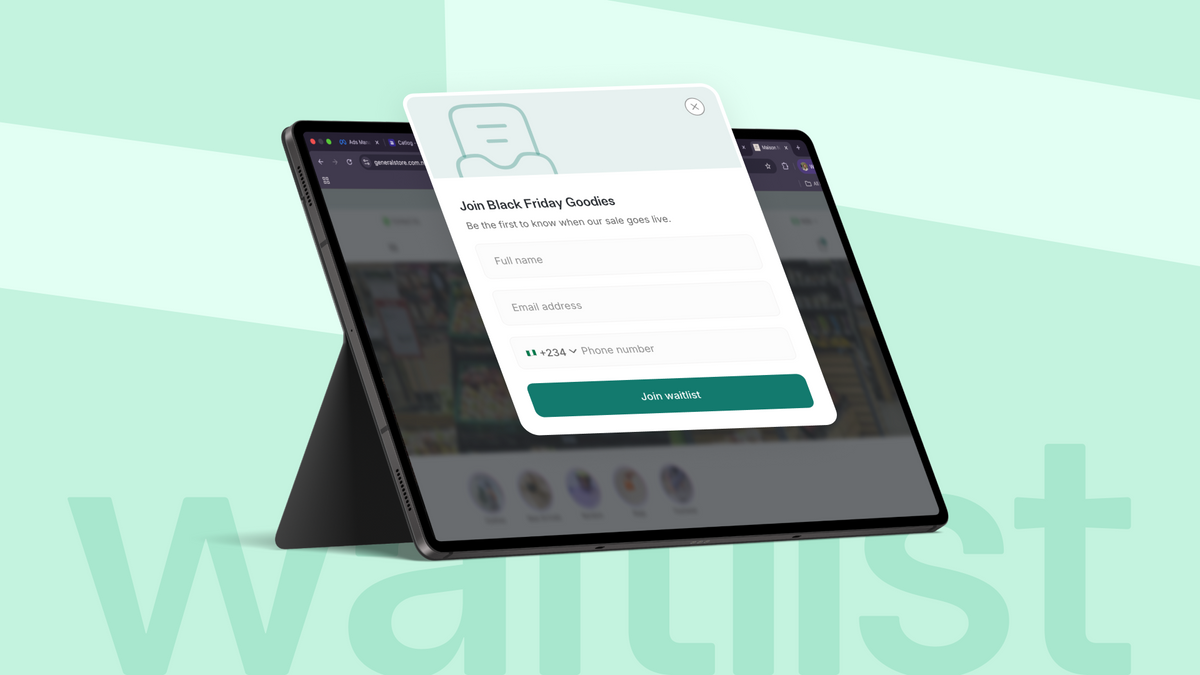
You can also choose to show a waitlist pop up on your store. When someone visits your store, they see your custom message and can join immediately.
No need for Google Forms or multiple tools. Everything is inside your Catlog dashboard.
How to Build a Waitlist for Your Small Business Using Catlog
Here are the exact steps to create your waitlist. You do not need screenshots because the process is very straightforward.
Step 1: Log into your Catlog dashboard. Open your dashboard on the web or mobile app.
Step 2: Click on Orders. This opens the section where you manage your store activity.
Step 3: Click on Customers
Step 4: Select Waitlists. You will see a button that says Create Waitlist.
Step 5: Add your details. Enter your waitlist name, a simple description, and your end date. This information tells customers what they are signing up for.
Step 6: Save. Once you save it, your waitlist goes live and Catlog generates a link you can copy and share anywhere.
Step 7: Share your link everywhere. Post it on Instagram Stories, WhatsApp Status, Twitter, Telegram or send it directly to people who have shown interest. The more you share it, the faster your list grows.
What Happens to Your List
Every time someone joins your waitlist, their information appears in your dashboard. You can export your entire list whenever you want and use it to send early access messages, reminders or Black Friday alerts.
This is also where the newsletter feature comes in.
Catlog now shows a simple newsletter pop up on your store. Customers can enter their name, email, and phone number even on normal days. Both waitlist sign ups and newsletter sign ups appear separately in your dashboard. You can view them under Waitlists and Newsletters and export them whenever you need them.
This gives you a clean, organised way to collect customer details all year long.
When to Use a Waitlist
A waitlist works well for many situations. You can create one for:
- Black Friday deals
- Any sales
- Product drops
- Restocks
- Limited offers
- New collections
If you want people to be excited before launch, a waitlist is the right tool to use.
Final Thoughts
If you want a calmer Black Friday and a more organised December sales season, start building your list now.
Your future self will be glad you set this up early.