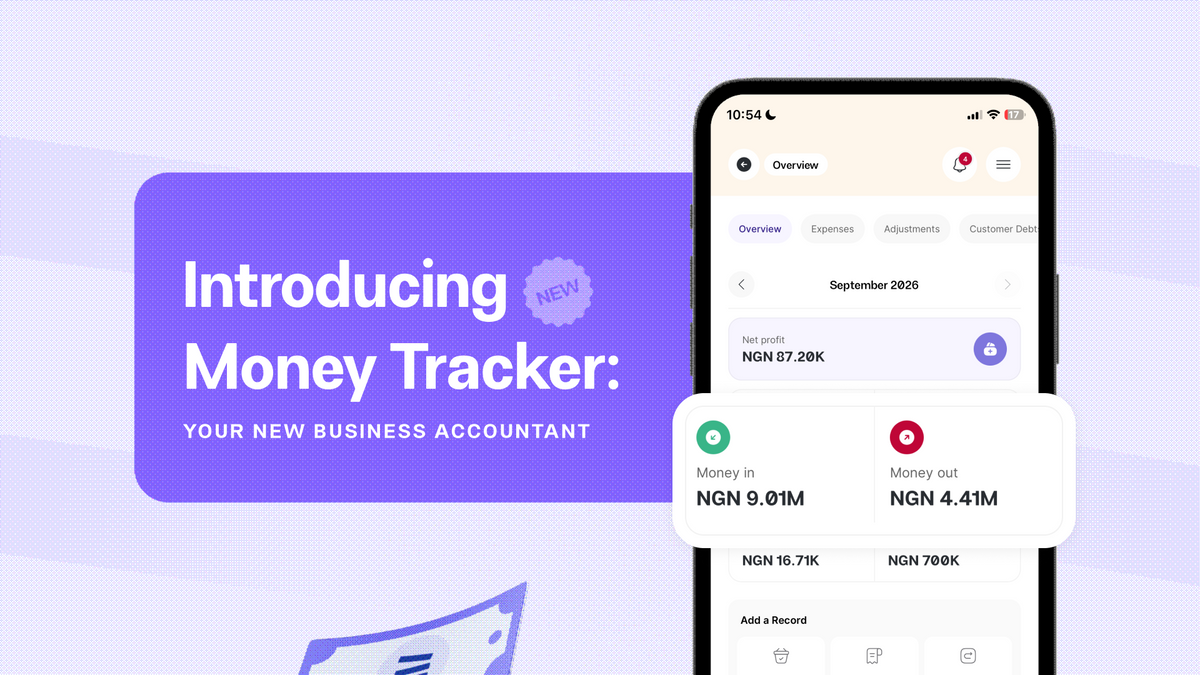
Introducing Money Tracker: Your New Business Accountant
Running a business means money is constantly moving.
A customer pays for an order. You buy more stock. You pay for delivery. A customer pays the balance on an outstanding order. You refund an item. You owe a supplier. You restock at a different price from the last time you bought it.
Money keeps moving, and keeping track of it for your business can be difficult.
That’s why we built Money Tracker, Catlog’s built-in financial management system designed to help you understand what’s happening with your business finances as you sell, spend, collect payments, and restock.
Money Tracker brings the financial side of your business into the same place where you already manage your orders, products, payments, and inventory. Instead of piecing together information from spreadsheets, notebooks, bank statements, or your memory, you can see how the different parts of your business connect — and what they mean for you.
Why we built Money Tracker
Most business owners track one thing: sales.
Making ₦300,000 a week or having GHS 10,000 in orders a month sounds good, until you remember you also bought stock, you paid out of pocket for some deliveries, or you have debts to clear.
If you only track what’s coming in and ignore what’s going out (and what’s still owed), your business will always look richer than it really is.
Money Tracker brings everything together in one place:
- Money in (sales and other income)
- Money out (expenses, refunds, debts you’re paying off)
- What’s left (your real profit and cash position)
So instead of guessing, you can actually know for sure.
What Money Tracker does for you
At the heart of Money Tracker is a simple idea: every naira, cedi, shilling, or dollar your business touches should be clearly tracked and explained.
Money Tracker helps you see where every single penny came from, where it went, and what it did to your profit.
1. Sales: More than just orders
An order only becomes meaningful when money enters.
Money Tracker treats a sale as the point where a customer has paid — fully or partially. From that moment, Catlog starts tracking the financial breakdown of that order:
- How much revenue you made
- How much it cost you to fulfil
- Your per-item profit
- Any remaining customer debt
- Any refunds or replacements that happened later
Every sale becomes its own mini profit and loss report. Instead of simply seeing what the customer paid, you can see what the order actually contributed to your business.
2. Expenses: Every cost accounted for
It costs money to run a business. Stock, delivery, packaging, software tools, staff, rent; all of it is money out.
Money Tracker lets you record and track your expenses so you have better context, not just random notes. You can:
- Add expenses manually when you spend
- Tag withdrawals from your Catlog wallet as expenses
- Let Catlog auto-create expenses, like delivery costs from delivery orders
- Record expenses directly on a sale when they’re tied to that specific order
Each expense has:
- A category (so you see where your money is going)
- A recipient (who you’re paying — rider, supplier, landlord, staff)
- A payment status (fully paid or partially paid)
This matters because every expense you record reduces your net profit.
That's what makes your numbers honest. It's not just revenue minus product cost. It's revenue minus everything your business actually spent.
3. Customer Debts: Never forget who owes you
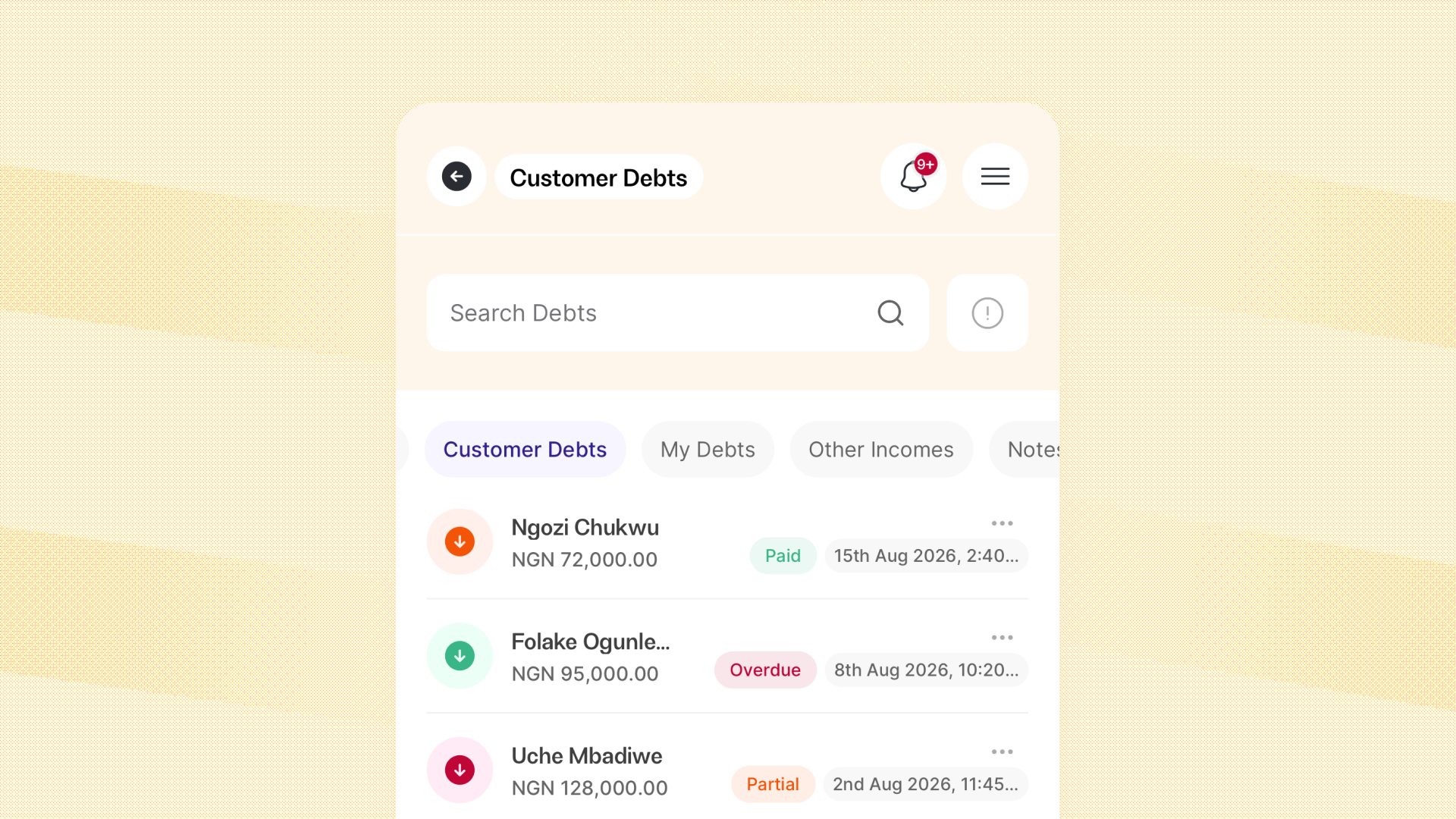
Not every customer pays in full; some pay small-small over time. Money Tracker makes sure none of that gets lost.
When an order is partially paid, Catlog:
- Automatically creates a customer debt for the remaining balance
- Links it to the sale
- Generates an invoice you can share with the customer
You can also create debts manually when someone owes you outside a specific order.
As the customer pays you back, you record each payment, and Money Tracker keeps the balance and payment history up to date automatically.
You can also put them on an instalment plan with due dates, and Catlog will handle the follow-up by sending automatic reminder emails before payments are due.
If it becomes clear a customer isn’t going to pay, you can mark that balance as a bad debt. Money Tracker records the loss correctly so your numbers stay honest, without treating it like cash that actually left your business.
4. Merchant Debts: Track what you owe
Customer debts are what people owe you. Merchant debts are what your business owes others.
Money Tracker helps you track:
- Supplier balances
- Business loans
- Operational debts
- Outstanding service payments
Every merchant debt is linked to an expense, so your profit and expense analytics stay accurate.
This matters because a business that has ₦500,000 in the account but ₦300,000 in unpaid obligations is not in the same position as a business with zero debt. Money Tracker shows you any outstanding amounts clearly.
5. Inventory, Supplies, and Cost Prices
One of the biggest challenges with tracking profit is that costs change.
The same product you bought for ₦5,000 last month might cost ₦6,000 today. If your cost prices aren’t updated, your profit figures become less accurate over time.
That's why Money Tracker is deeply connected to inventory management.
When you record an inventory purchase, Catlog:
- Updates your stock levels
- Recalculates your cost price using weighted average
This means your margins stay in sync with what your stock actually costs today, not what it cost months ago.
6. Other Income: Money that isn’t from sales
Not all money in your business is from customer orders. Money Tracker lets you log other income like:
- Grants
- Refunds from suppliers
- Interest received
- Commissions and referral payouts
You enter the amount, date, category, and (optionally) who it came from, so it still feeds into your money-in totals and analytics.
That way, your financial overview reflects all the money entering the business, not just what customers paid.
7. Analytics
All this data flows into Money Tracker’s analytics.
You'll be able to see:
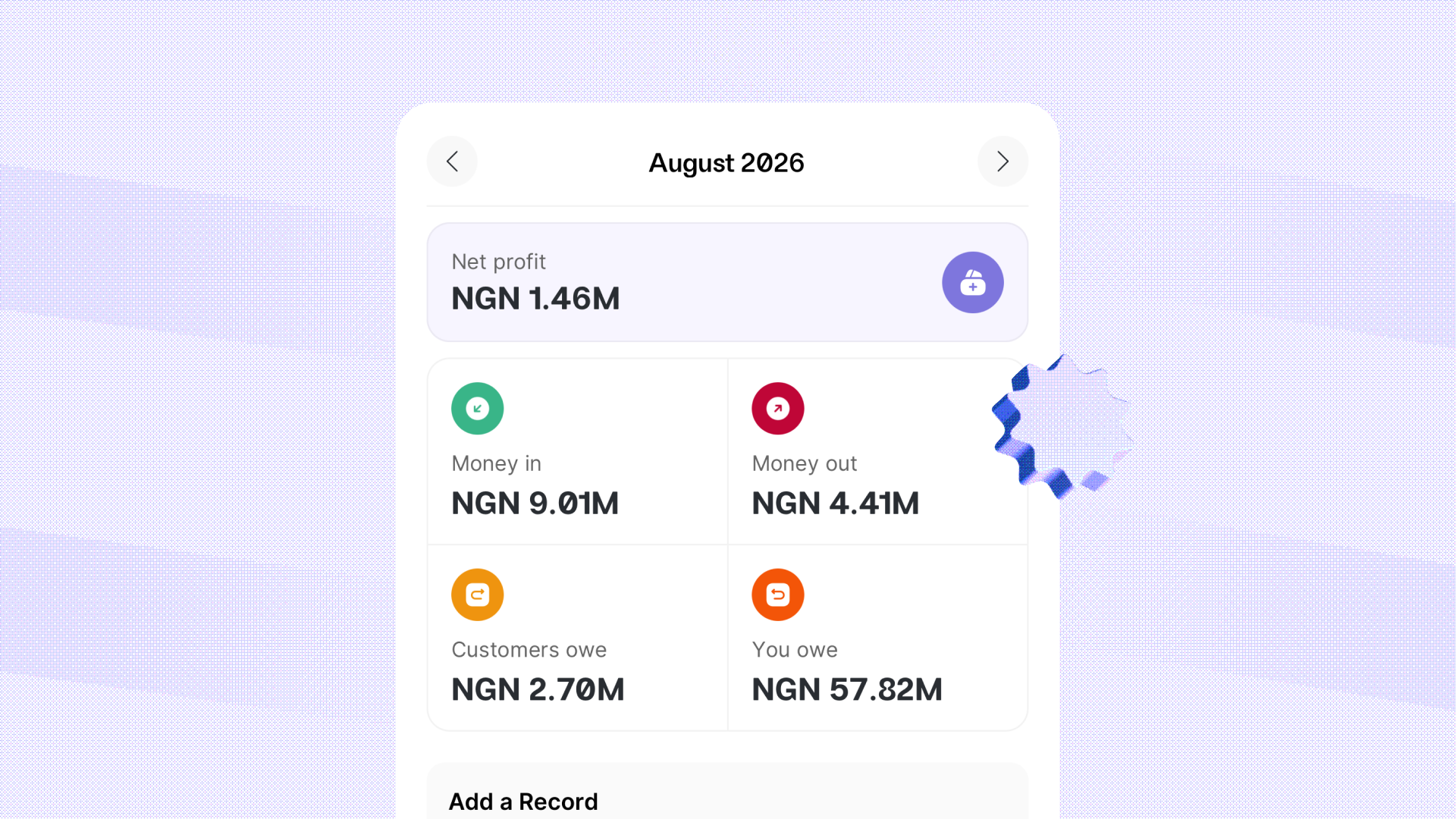
- Financial overview showing money in, money out, cash flow, and net profit
- Sales analytics with gross and net profit, top products, top customers, refunds, discounts, and more
- Expense analytics by category, recipient, status, and trends over time
- Debt analytics showing total outstanding, total recovered, top debtors, and repayment trends
- Other income analytics and daily reports with full profit and loss for each day
With this data, you'll be able to answer questions like:
- “Should I increase this price?”
- “Is this product still worth selling?”
- “Which expense categories can I cut down?”
- “Is my credit policy too loose?”
Getting Started
- Update your cost prices. Money Tracker needs cost prices to calculate real profit. When you enable Money Tracker, Catlog will guide you through updating costs.
- Start recording expenses. Stock, delivery, tools, staff, rent- log them as they happen. Tag withdrawals properly. Connect expenses to sales where needed.
- Let Catlog handle debts. Record partial payments and let Money Tracker automatically create and track customer and merchant debts.
- Use your analytics. Check your financial overview and daily reports. Pay attention to which products are actually profitable and worth selling.
The more accurately you record what happens in your business — costs, debts, other income — the more powerful Money Tracker becomes.
Use Money Tracker Today
Money Tracker is for business owners who want to keep records and account for their money, but need an easier way to do so.
With Money Tracker, Catlog becomes more powerful for you. It helps you understand your money so you’re not just running a busy business.
You’re running a profitable one.
Get started with Catlog’s Money Tracker here.