How to Increase Online Store Sales: 10 Proven Tips for Business Owners
If the title of this blog post piqued your interest, I'm sure you fall into one of these categories:
- You have an online store that is not selling well.
- Your online store is selling well but could do much better.
- You are in the process of building an online store that should sell well.
I get it. No matter which category you fall into, building and running an online store is not easy, and the hard part is making consistent sales.
The good news is that increasing sales doesn't always require a bigger marketing budget. Often, it's about improving the shopping experience and removing the friction that stops customers from buying.
If you're wondering how to increase online store sales, here are 10 practical tips you can start using today.
1. Make It Easy To Buy: Turn Visitors Into Buyers
Many customers visit an online store with interest but leave without buying because they're unsure what to buy, why they should buy it, or whether they should buy it at that moment.
Think of your store like a smart salesperson: it should welcome visitors, explain what’s special about you, recommend what to buy first, and reduce any fear they have about spending their money. You do all of that with the texts they see, the messages you highlight, and the offers you put in front of them.
Here are a few ways to do that:
a. Use banners and store messages to guide customers
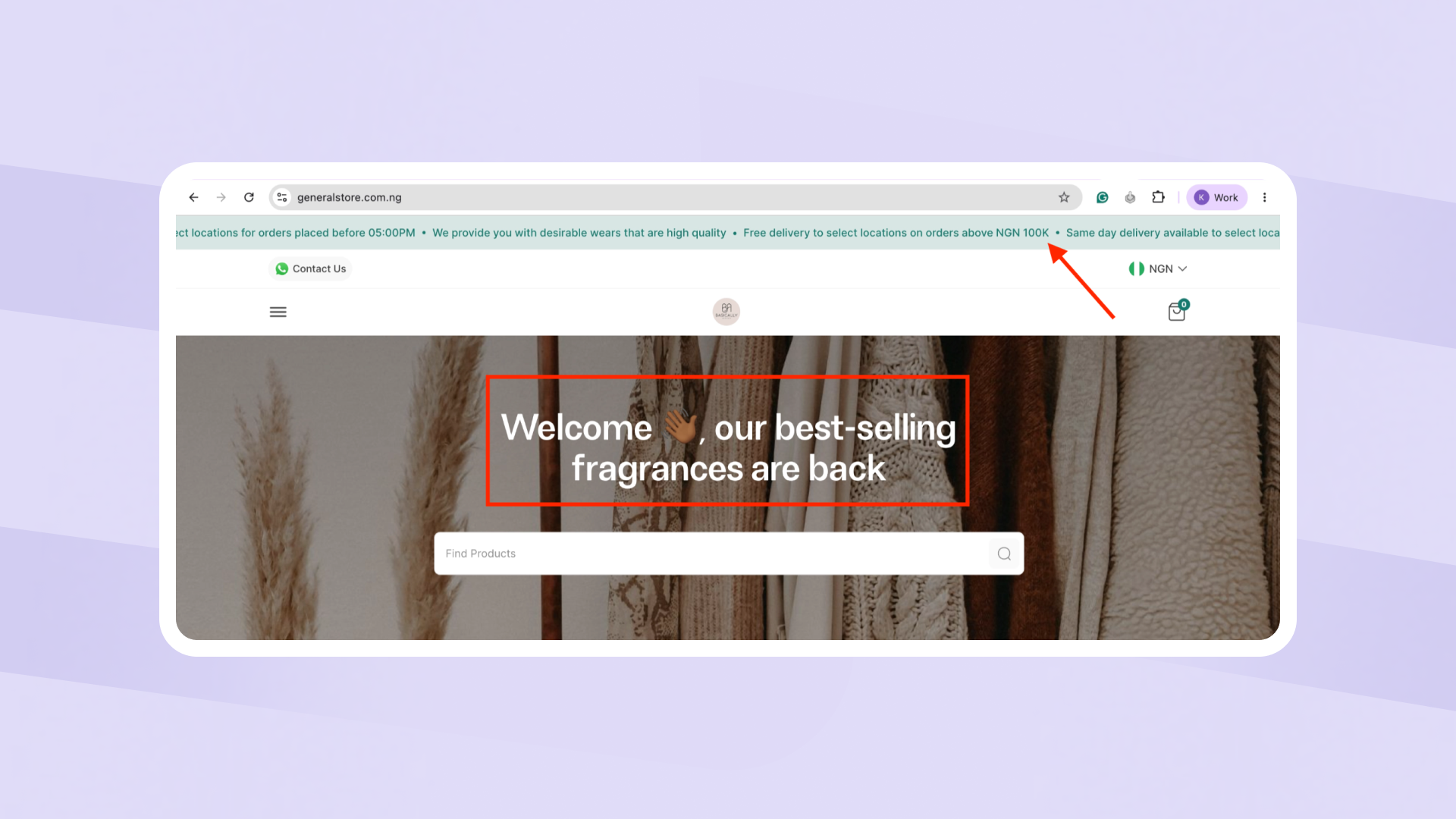
Your store banner on the home page is one of the first things customers see. Instead of using it only for branding, use it to highlight offers, best-selling products, free delivery thresholds, or limited-time promotions.
Examples:
- Free delivery on orders above ₦20,000
- New arrivals just dropped
- Buy 2, Get 1 Free
- Our best-selling fragrances are back in stock
A clear banner immediately tells customers what matters most.
On Catlog, you can customise your online store by adding custom store messages to guide customers to important information.
b. Lead with your best sellers and make offers visible
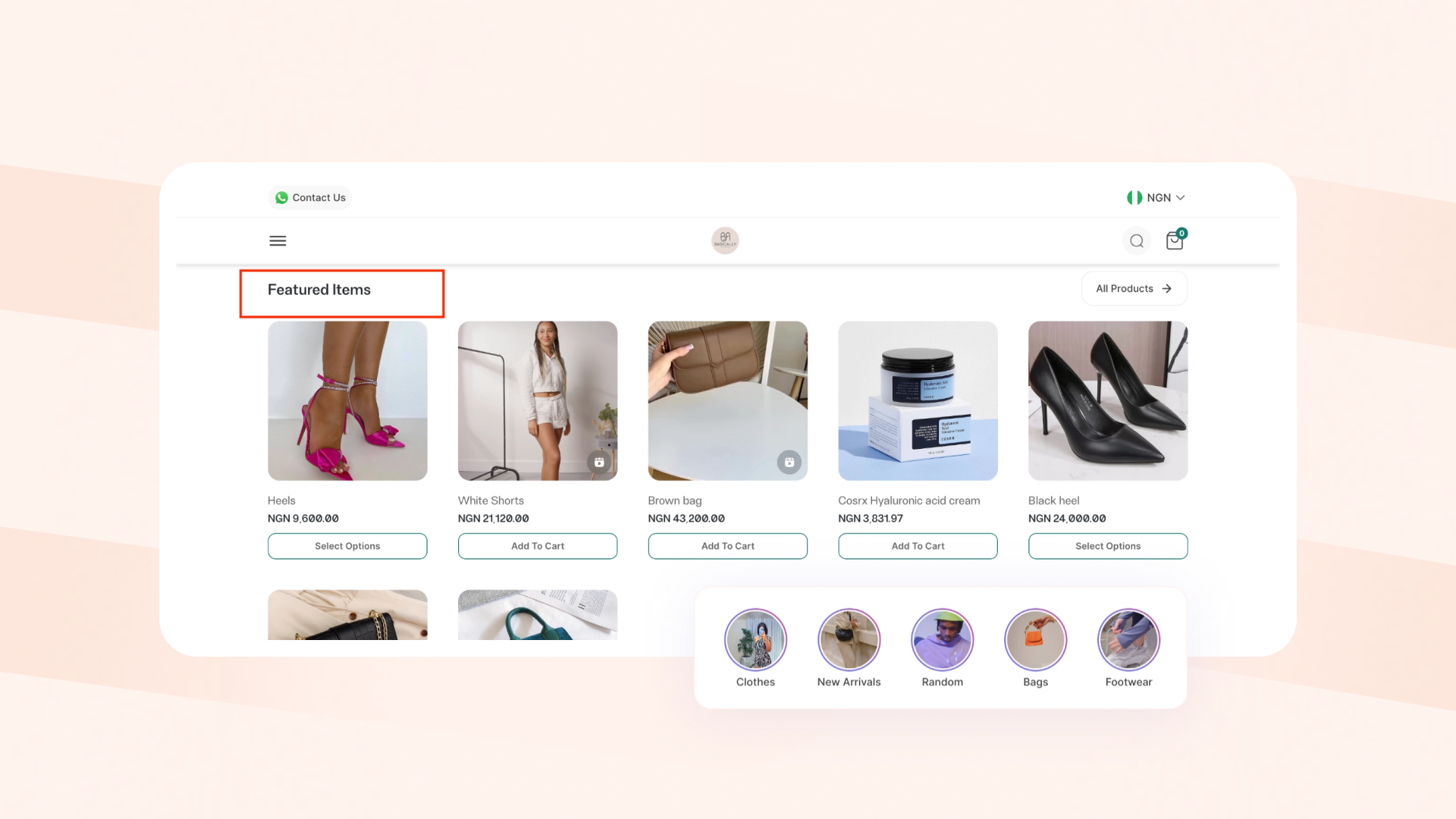
Don't make customers guess where to start. If you're running a promotion, don't hide it. Highlight your best sellers to show customers what products others are buying. It helps them make decisions faster and increases trust.
You can use the product highlight feature on Catlog to highlight product videos for your best sellers, and also use the ‘featured items’ feature to showcase products.
2. Use High-Quality Product Photos and Videos
Your customers can't physically inspect your products online. This means they are judging everything based on what they can see, so your product pictures have to do the work for you.
To make your images sell:
- Use natural light where possible; try shooting near a window during the day to get the best shot.
- Avoid cluttered backgrounds. Use clean, simple backgrounds that make your product stand out.
- Show multiple angles: front, back, side, and close-up shots of key details so customers can clearly see what they're buying.
Pro tip: Use videos to show what a product looks like when worn, carried, held, or styled.
Not many online stores offer the flexibility to upload videos, but you can upload product videos on Catlog.
Read More: How to upload Product Videos on Catlog
The more confident customers feel about what they're seeing, the more likely they are to buy.
3. Write Product Descriptions That Sell
Many business owners upload products with little or no description. A well-written product description can help more customers discover your products online. When someone searches for a product on Google, the keywords in your description can help your product appear in search results.
For example, instead of:
“Brown leather bag. Good quality.”
Try:
“Brown leather tote bag that fits your laptop, charger, and daily essentials without looking bulky. Perfect for work, school, or travel, with inner pockets to keep your phone and keys easy to reach.”
See the difference? The first description tells customers what the product is while the second helps them imagine using it.
The more clearly customers can picture themselves using your product, the easier it becomes for them to buy.
A strong product description should do three things:
- Say exactly what the product is.
- Highlight the benefit to the buyer.
- Answer the most common questions for the customer
Bonus tip: When you use Catlog’s Instagram Import feature, our AI extracts the name and price and creates amazing product descriptions for you. Here’s how it works.
4. Organize Your Products Properly
When customers visit your store, they should be able to find what they're looking for quickly. If your products are scattered, visitors will get tired and leave even if they like what you sell.
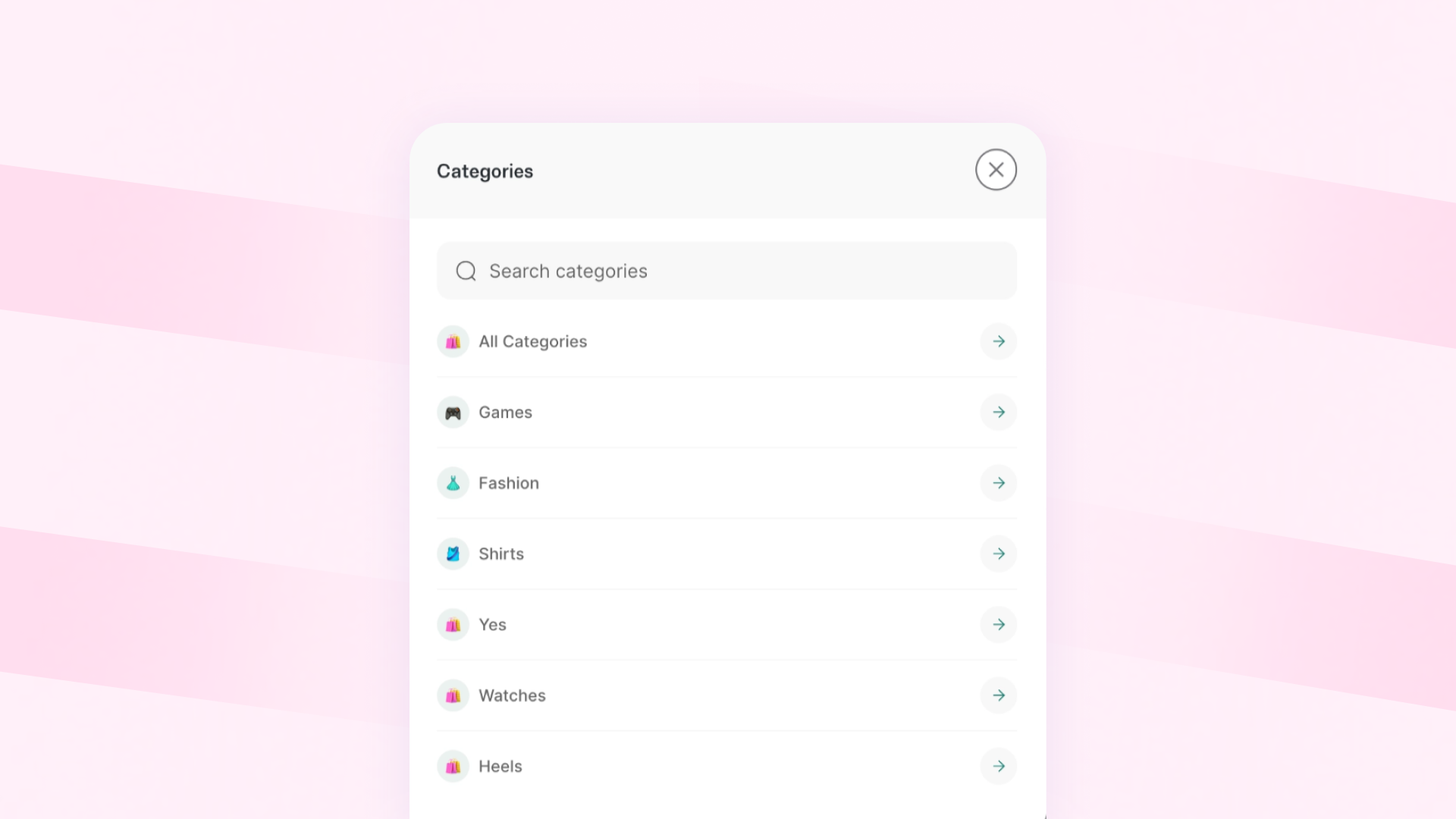
Organize your products by creating categories and collections so it’s obvious what to look at first, where to find what they need, and how to compare options quickly.
For example:
- New Arrivals
- Best Sellers
- Women's Fashion
- Skincare
- Home Essentials
Catlog allows merchants to create unlimited product categories, making it easier for customers to browse and discover more items.
5. Recover Customers Who Leave Without Buying
Most people who visit your store won’t buy on the first visit — and that’s normal. They might be waiting for salary, comparing prices, asking a friend, or just got distracted by life (power, network, boss, baby, you name it).
The mistake many business owners make is treating those people as “lost” instead of “not yet.”
One of the most effective ways to increase online store sales is through abandoned cart recovery. By reminding customers about items they left behind, you can recover revenue that would otherwise be lost. The money is often in the follow-up.
Catlog's Cart Tracking feature helps merchants identify and follow up with buyers who showed buying intent, added items to their cart but didn't complete their order.
6. Build Trust Through Reviews and Testimonials
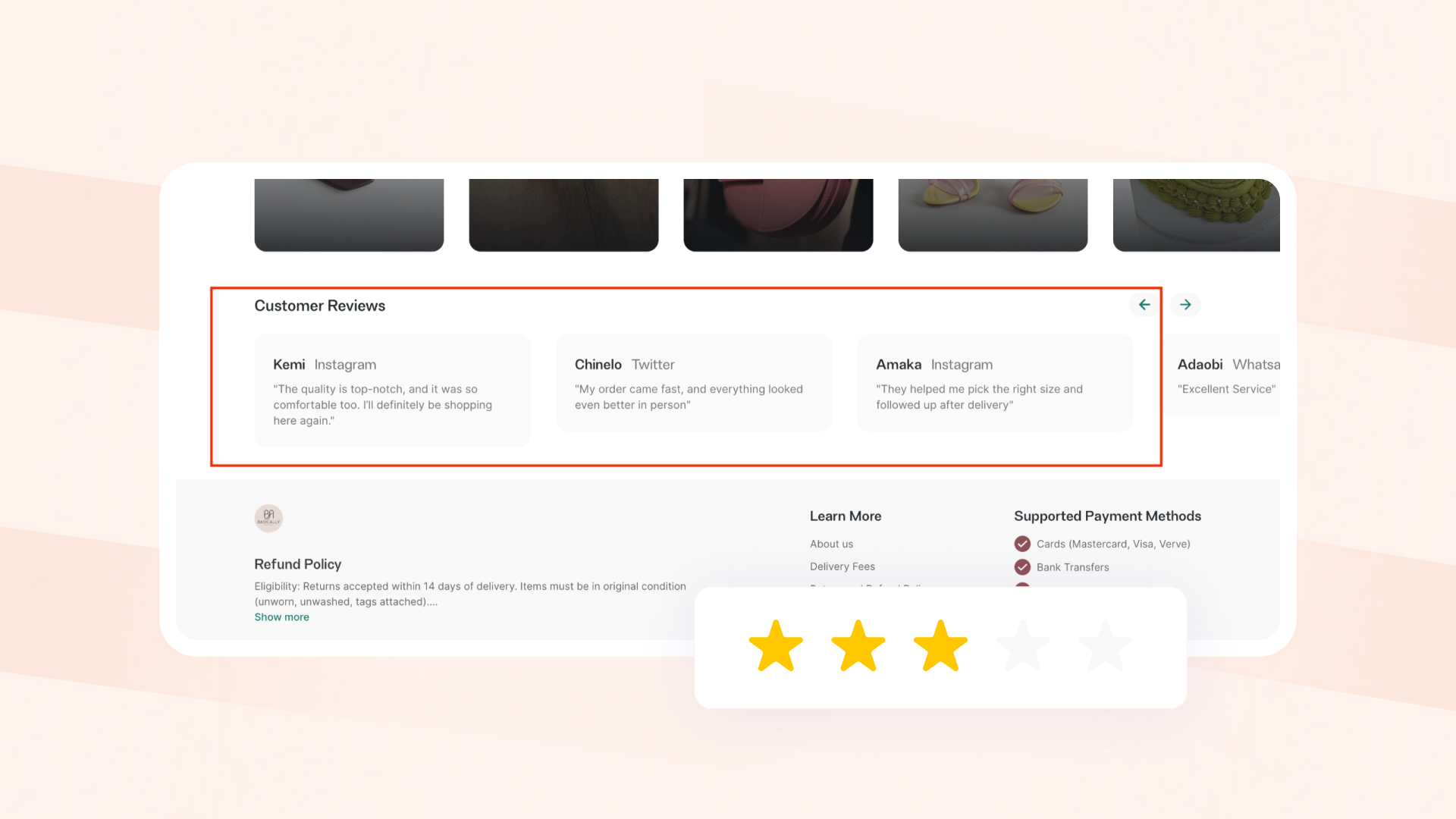
Buyers trust other buyers more than brands; that's why word of mouth and social proof are so powerful. Before buying, customers often want proof that others have had a positive experience with you, your business and your product.
On your store, display:
- Customer reviews and testimonials
- Product photos from customers (for example, add “Before & After” photos if your product creates a visible change)
- Product reviews
The more social proof you provide, the easier it becomes for new customers to make a purchase.
7. Make Payment Easy
One major reason people drop off before completing an order is payment stress. If paying you feels like stress, they will leave and might never come back.
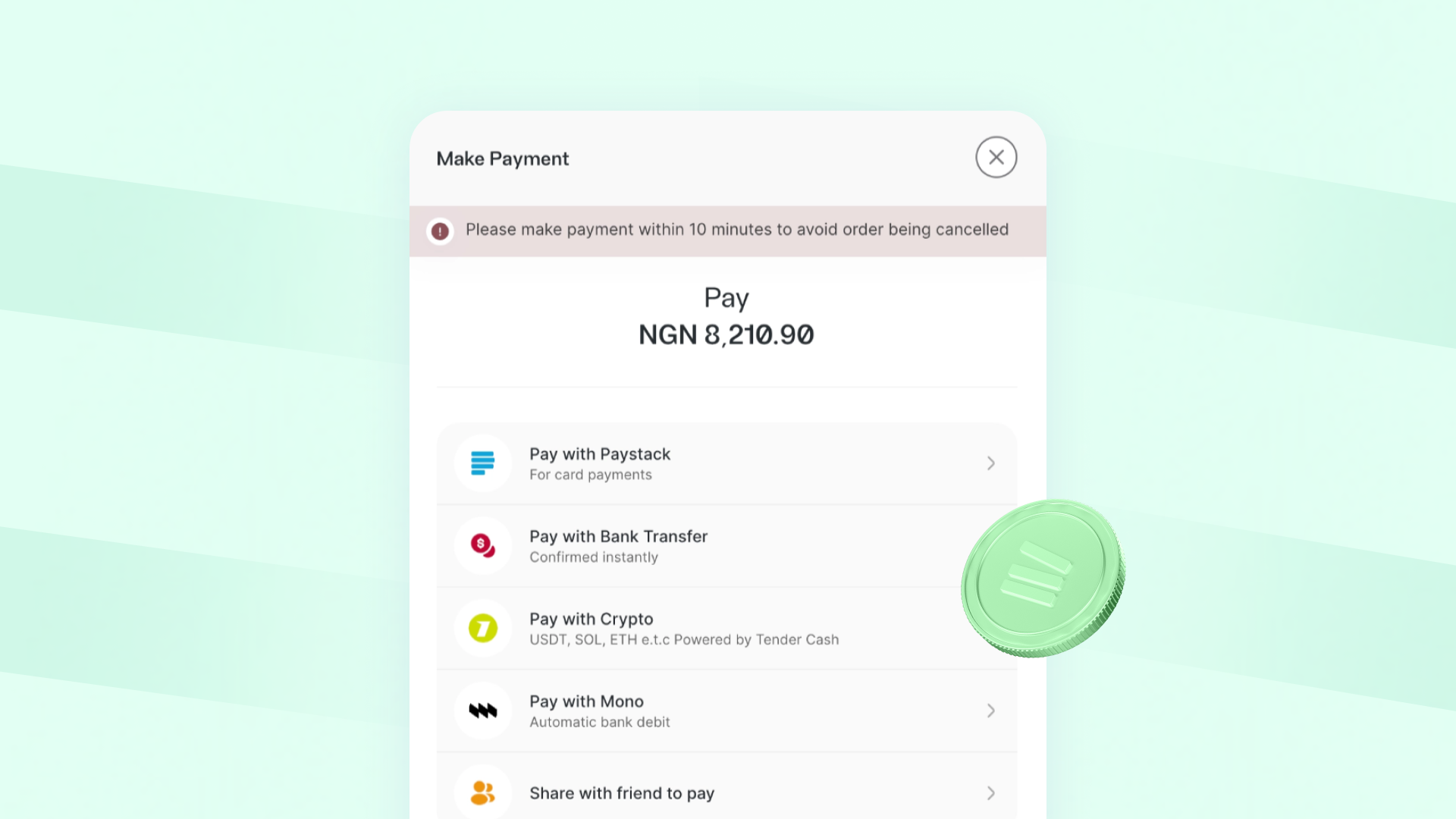
To make it easy for customers, ensure your online store offers multiple payment options, such as cards, bank transfers, USSD, and supported currencies where possible.
If you use Catlog, you can offer customers multiple ways to pay and also collect payments in crypto and multiple currencies, such as USD, GBP, CAD, and more.
8. Make Delivery Information Clear
Delivery is where many online orders die. Oftentimes, unexpected delivery fees or unclear shipping timelines are common reasons customers abandon their carts.
Your delivery information should communicate:
- Delivery fees
- Delivery timelines
- Available locations
- Pickup options
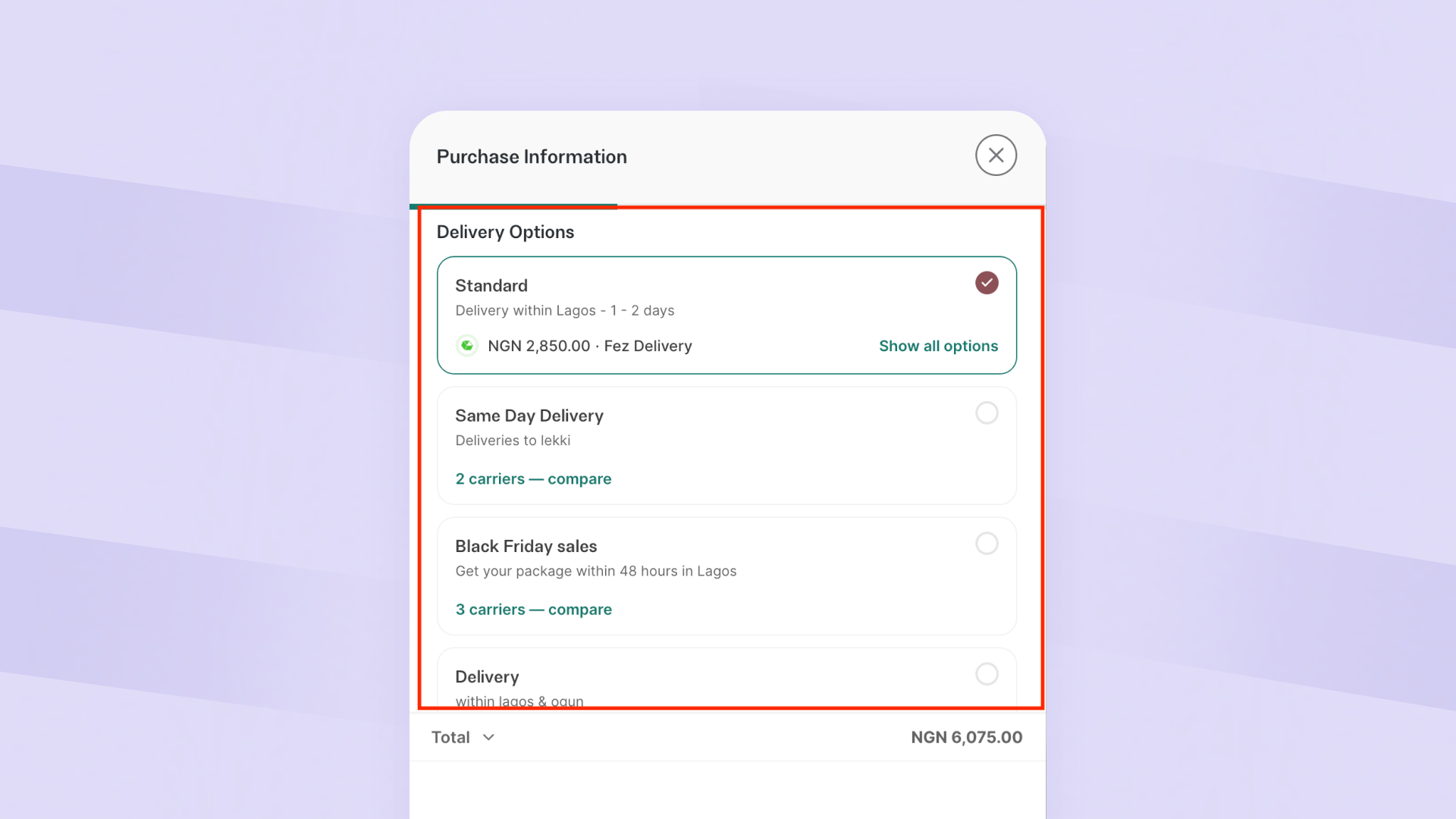
Catlog merchants can set up automated delivery so delivery fees are calculated accurately at checkout based on the customer's location. Catlog also partners with multiple delivery partners, and merchants can choose a logistics partner they prefer directly from their dashboard, making fulfilment easier and more efficient.
9. Use WhatsApp and Social Media to Bring More Buyers to Your Store
Even the best online store can't generate sales if nobody visits it.
Your Instagram, TikTok, and WhatsApp channels should work together to consistently drive potential customers back to your store.
Here’s how to use them well:
- Always attach your store link when posting new arrivals or restocks.
- Run “New in store” posts that highlight a few products and link back to the full category or collection.
- Use WhatsApp saved replies to share products and direct people to the store to complete orders.
- Save highlights or pinned posts that say “Shop all products here” with your main store link.
This way, your online presence is not scattered. All orders are in one organised place, making it easier for customers to buy and for you to manage.
10. Add an About Us Page and Clear Store Policies
Many customers won't tell you they're unsure about buying from you. They'll simply leave.
Before placing an order, customers often want answers to questions like:
- Who is behind this business?
- Can I trust them?
- What happens if I receive the wrong item?
- Can I get a refund or exchange?
- How long will delivery take?
That's where your About Us page and store policies come in.
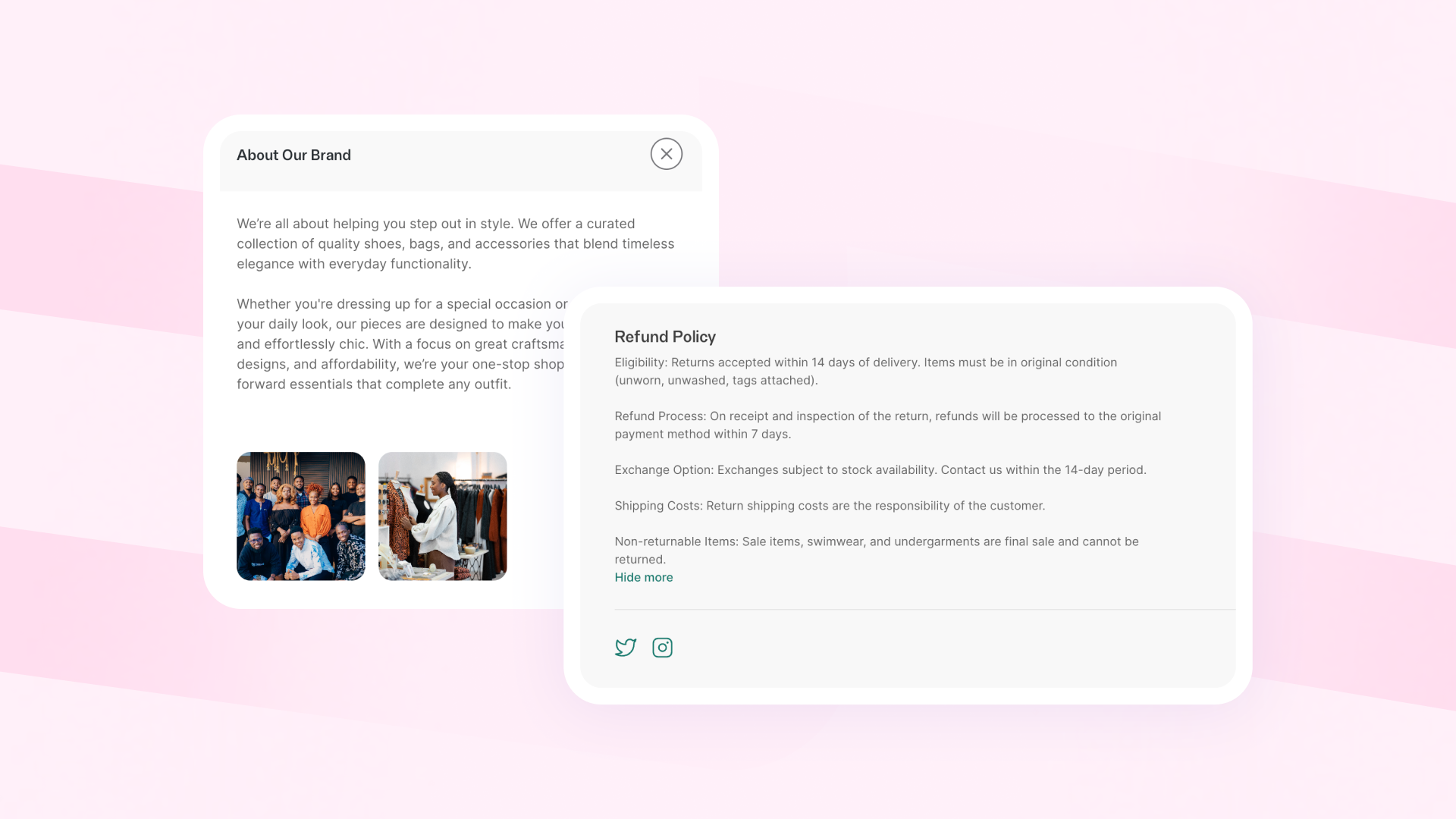
Your About Us page helps customers connect with your business. Share who you are, what you sell, why you started the business, and what customers can expect when they shop with you.
Your store policies help set expectations and build confidence. Make sure customers can easily find information about:
- Refunds and exchanges
- Delivery timelines
- Payment terms
- Return conditions
- Contact information
The easier it is for customers to find answers, the more confident they'll feel about buying from you.
On Catlog, merchants can add an About Us section and create custom store policies directly on their store, helping customers make informed buying decisions and increasing trust.
Read More: How to add ‘About Us’ to your Catlog store.
Why This Matters for Your Growth
Most of the time, the difference between a store that gets visitors and a store that gets orders comes down to a few fundamentals:
- Make buying easy
- Improve product presentation
- Write better product descriptions
- Organise your products properly
- Build trust and recover abandoned carts
- Make payments and delivery seamless
- Set clear expectations with your store policies
With small, consistent improvements in these areas, sales can increase significantly for your online store.
If you sell on Instagram, WhatsApp, or other social platforms, having a structured online store through Catlog gives you the foundation to apply these tips, turn more visitors into paying customers, and grow your business with confidence.