Introducing Dawurobo Deliveries on Catlog (Ghana)
About a year ago, we introduced Deliveries on Catlog in Ghana, starting with Shaq Express as our first courier partner.
Since then, many businesses have been using Catlog to book deliveries directly from their dashboard, making it easier to ship orders without the usual back-and-forth with dispatch riders.
But we’ve always known that one courier isn’t enough. Different businesses ship to different places, and having more options makes it easier to get orders to customers quickly and reliably.
So today, we’re excited to share some good news.
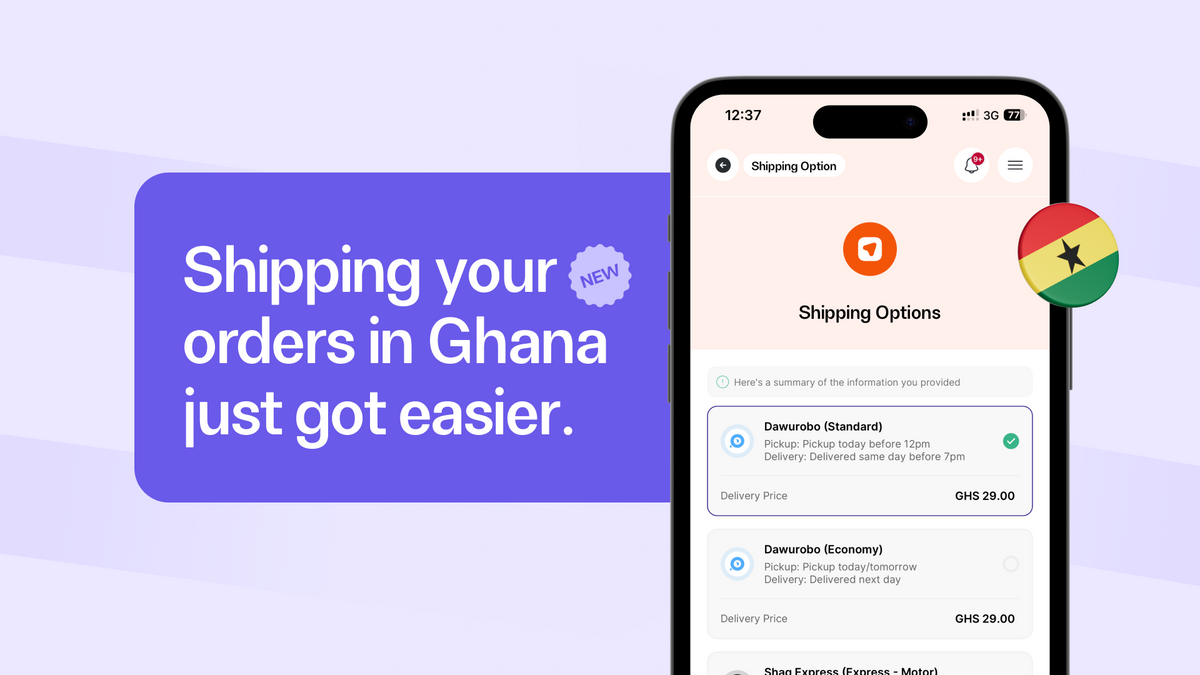
Dawurobo is now available as a delivery partner on Catlog.
This means businesses in Ghana now have another courier option they can use to automate deliveries directly from their Catlog store and dashboard.
Just like Shaq Express, Dawurobo can be used without leaving Catlog — whether you want customers to pay for delivery during checkout, book delivery from an order, or create deliveries manually whenever you need to send something.
You can use Dawurobo in three different ways on Catlog.
1. Show Dawurobo Delivery Rates on Your Store
The easiest way to use Dawurobo is to let customers see live delivery prices during checkout.
When this is enabled, Catlog will automatically fetch delivery rates from Dawurobo based on the customer’s location. Customers can then select the option and pay for delivery alongside their order.
Once the order is confirmed, the delivery can be fulfilled immediately.
How to enable this
On your Catlog dashboard:
- Go to Delivery Configurations
- Enable Automated Shipping
- Under deliveries open the Couriers section
- Click Add Carrier
- Select Dawurobo
Once this is enabled, Dawurobo will appear as a delivery option on your store whenever a customer places an order.
Catlog will automatically calculate the delivery rate and show it at checkout.
This allows customers to pay for both the product and delivery in one step.
2. Book Dawurobo Delivery From an Order
Sometimes businesses prefer to confirm orders before arranging delivery.
You can also book a Dawurobo delivery directly from the order dashboard after a customer places an order.
How this works
- Open the Order in your dashboard
- Scroll to the Delivery section
- Click Initiate Delivery
This will open the Create Delivery page.
From here:
- The items being shipped will automatically be filled
- Your pickup address will automatically be filled in if you have already saved one
- The customer’s delivery address will already be added from the order
- You can still edit the address if needed
Once you continue, Catlog will fetch available couriers and Dawurobo will appear as one of the delivery options (if the route is supported).
You can then select Dawurobo, confirm the delivery, and pay for the shipment.
3. Create a Manual Delivery
You can also use Dawurobo even when the delivery is not tied to an order.
This is useful when you want to send items to customers manually.
How to do this
- Go to the Deliveries page
- Click Initiate Delivery
From there you will fill in:
- Items being delivered
- Pickup address
- Customer drop-off location
- Any additional delivery instructions
After submitting the details, Catlog will show available couriers and you’ll be able to choose Dawurobo if the route is supported.
Why This Matters
Managing deliveries manually can slow businesses down.
Many merchants spend time:
- Messaging dispatch riders
- Negotiating delivery prices
- Tracking orders manually
With Catlog deliveries, all of that happens in one place.
You can:
- Show delivery rates on your store
- Book deliveries in seconds
- Track shipments from your dashboard
And now, businesses in Ghana have even more delivery flexibility with Dawurobo.
Start Shipping With Dawurobo
Dawurobo is now available for Catlog merchants in Ghana.
If you already use Catlog deliveries, you can enable Dawurobo in your delivery settings today.
More delivery options means faster fulfillment and smoother operations for your business.